DNS Setup
Before the Global Server Load Balancing and it's configuration can be tested in a meaningful way, the corresponding network configuration will need to be in place.
DNS Infrastructure
Generally speaking, you will want to sort out the DNS delegation and configuration for the network before you go to configure the GSLB on the load balancer appliances. This does depend on your DNS infrastructure. Convergence of the DNS configuration can take hours to be fully synchronised. Because of this, it is practical to complete the DNS configuration before implementing the GSLB. You must consider that it is a double-edged sword. If you add the DNS entries before the GSLB is configured then the network will not be able to correctly resolve those requests.
Unfortunately, this can be one of the most confusing parts of a GSLB implementation too so getting it right in the first place is not exactly straightforward. For the products that have deployment guides, it is worth reading those first as some of them contain product-specific DNS delegation guidance.
Non-Windows DNS setup
There are so many different ways that DNS is implemented that it is simply not feasible to provide information on all of the myriad ways. If you are running something other than a Windows-based DNS infrastructure, then we are going to ( rightly or wrongly) assume that you know what you are doing.
The simple answer to how the designated subdomains are delegated is via NS DNS records. You CAN also do this via conditional forwarding. The end result that you want is for requests to the configured global names to be resolved by the GSLBs running on the load balancer appliances.
Windows Servers
The configuration of the DNS delegation on Windows servers is documented in the Administration Guide and this process is also covered in this blog post.
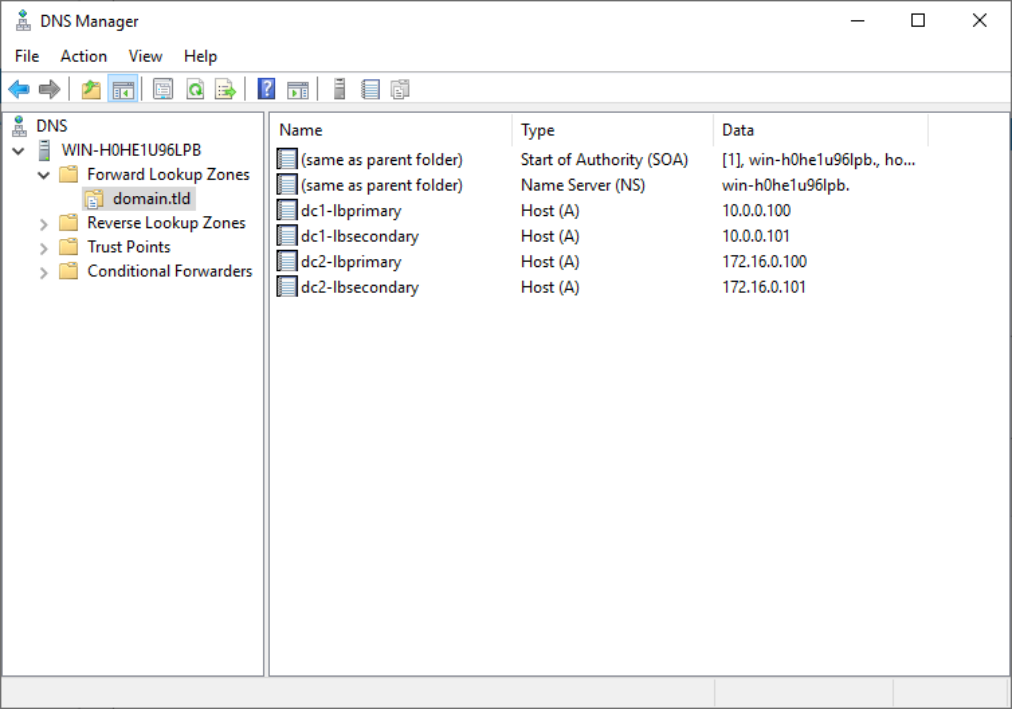
DNS entries should be created for each of the loadbalancer IP addresses. Similar to the following image.
Open DNS Manager and create A records for every load balancer at every site, using Action > New Host (e.g. dc1-lbprimary.domain.tld, dc1-lbsecondary.domain.tld, dc2-lbprimary.domain.tld, and dc2-lbsecondary).
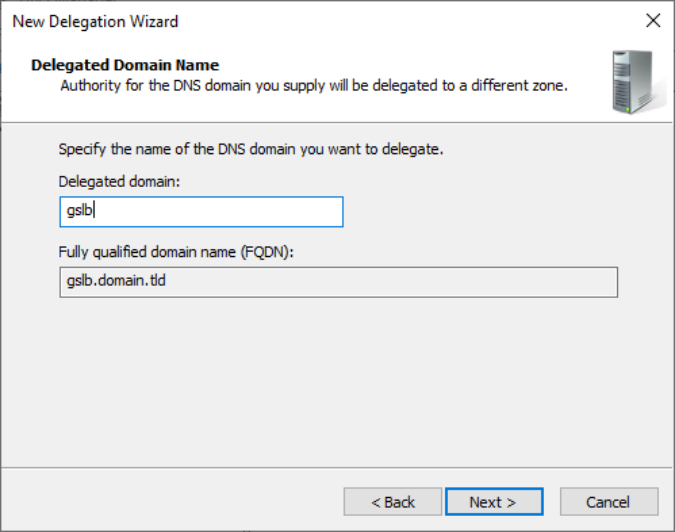
Enter the domain delegation, in this example that is "gslb" and it auto-populates the FQDN field. If that auto-populated field contains the correct value then click Next.
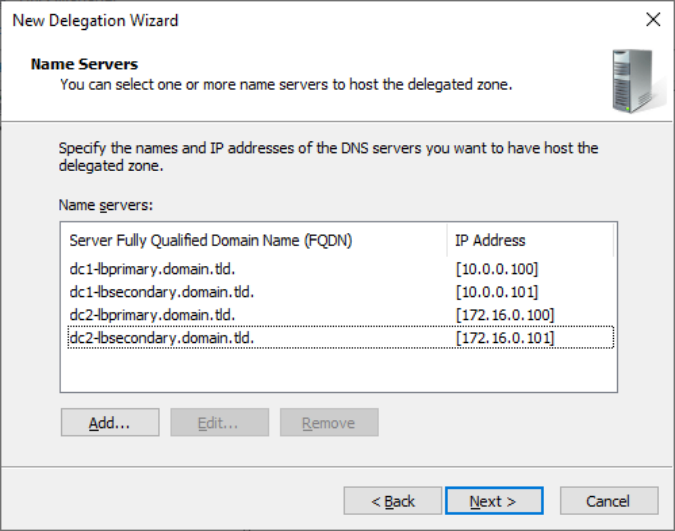
Provided that the load balancer part of the GSLB configuration has been completed and is working, the New Delegation wizard should now be used to delegate the subdomain to the load balancers. The delegation will use the new FQDNs for the load balancers, as defined in the previous step. The delegation wizard is located at Action > New Delegation.