Global Names
The starting point for everything is with the global names. To be able to use the GSLB in a meaningful way you will need and FQDN that the GSLB will be resolving requests for.
Global names are the FQDNs that the GSLB will be responding to requests on. They must correspond to the configuration that was set in the DNS infrastructure. To create a "New Global Name" you must navigate to "Cluster Configuration > GSLB Configuration > Global Names". From there you can click the "New Global Name" button and you will be presented with the following form.
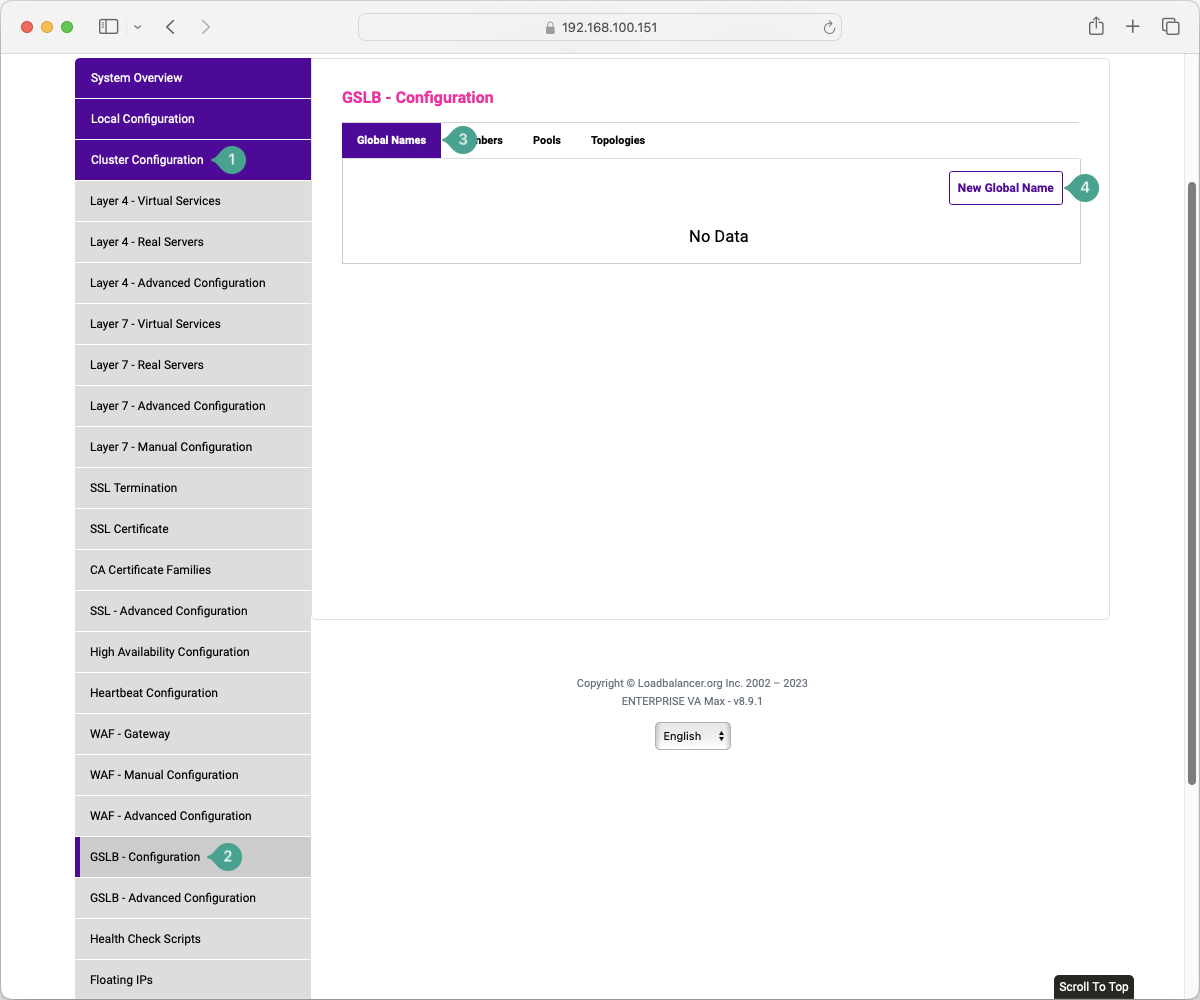
Adding a new Global Name
Select "Cluster Configuration" in the sidebar.
Select "GSLB - Configuration" from the sidebar submenu.
In the page body, select the "Global Names" tab.
Click on the "New Global Name" button.
This will present you with a screen that directs you to configure the required options for a new global name.
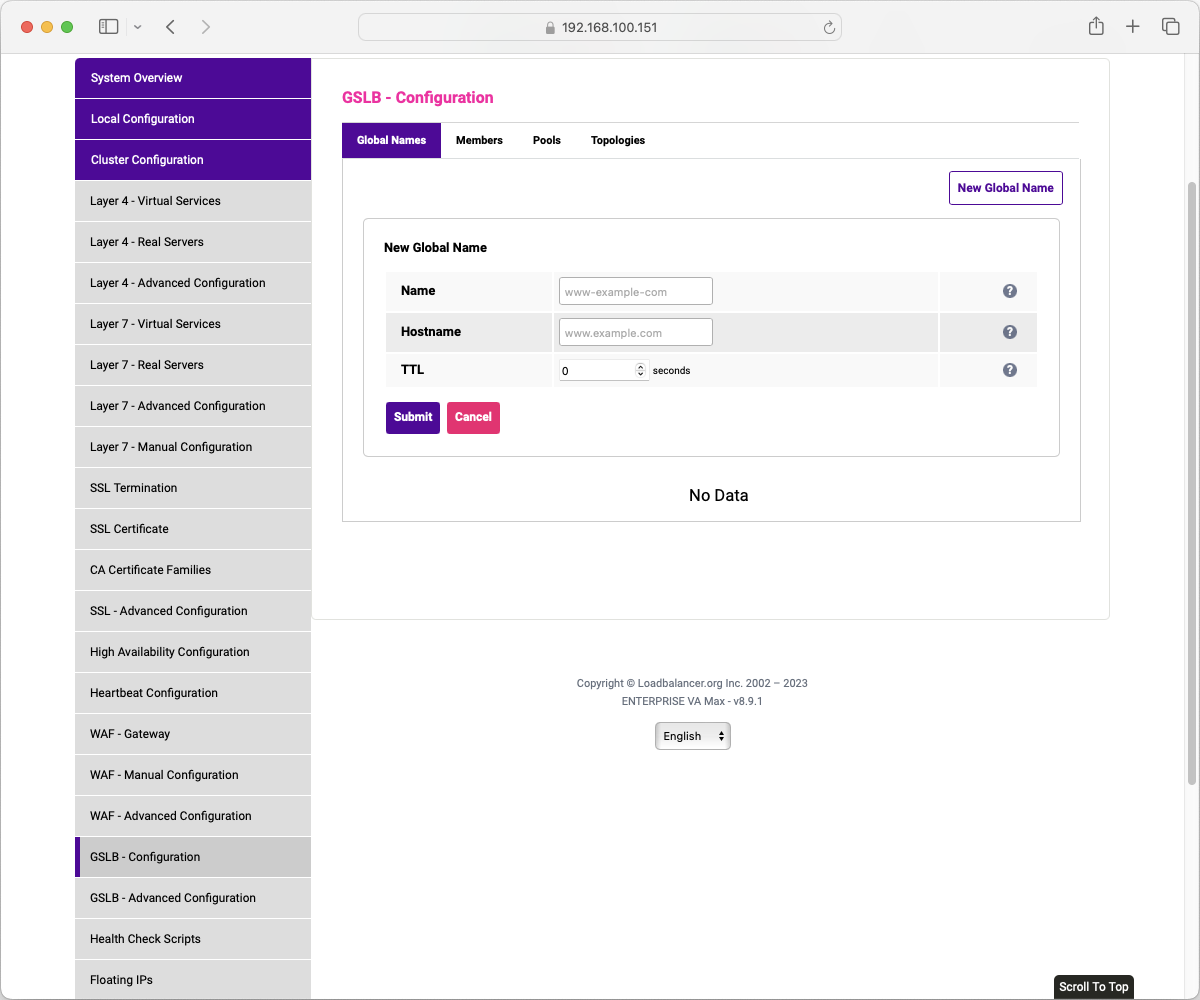
A new global name requires these three options to be configured.
Name: a local reference to the global name. This can be anything but should be descriptive of the services that are that it is describing. The general guidance is to simply name it the same as the FQDN that it will be referencing. The name must be an XML-safe string, and periods are not allowed which is why the placeholder text is www-example-com.
Hostname: the fully-qualified domain name that the GSLB is sending responses on behalf of.
TTL: the Time To Live for the DNS record. DNS TTL represents the amount of time that a DNS response will be cached by the requester's system.